Skip to content
Sign In
WhatsApp export → dated, readable record

A dated, readable record of your WhatsApp dispute

ThreadRecap turns months of messages and voice messages into one timeline of what was said, promised, and paid — so you can find what matters before speaking to a solicitor.

  • Files unzip in your browser
  • Photos & videos are not uploaded
  • Delete a conversation, its audio and its transcripts anytime

Why it matters

The agreement already happened. The record is buried.

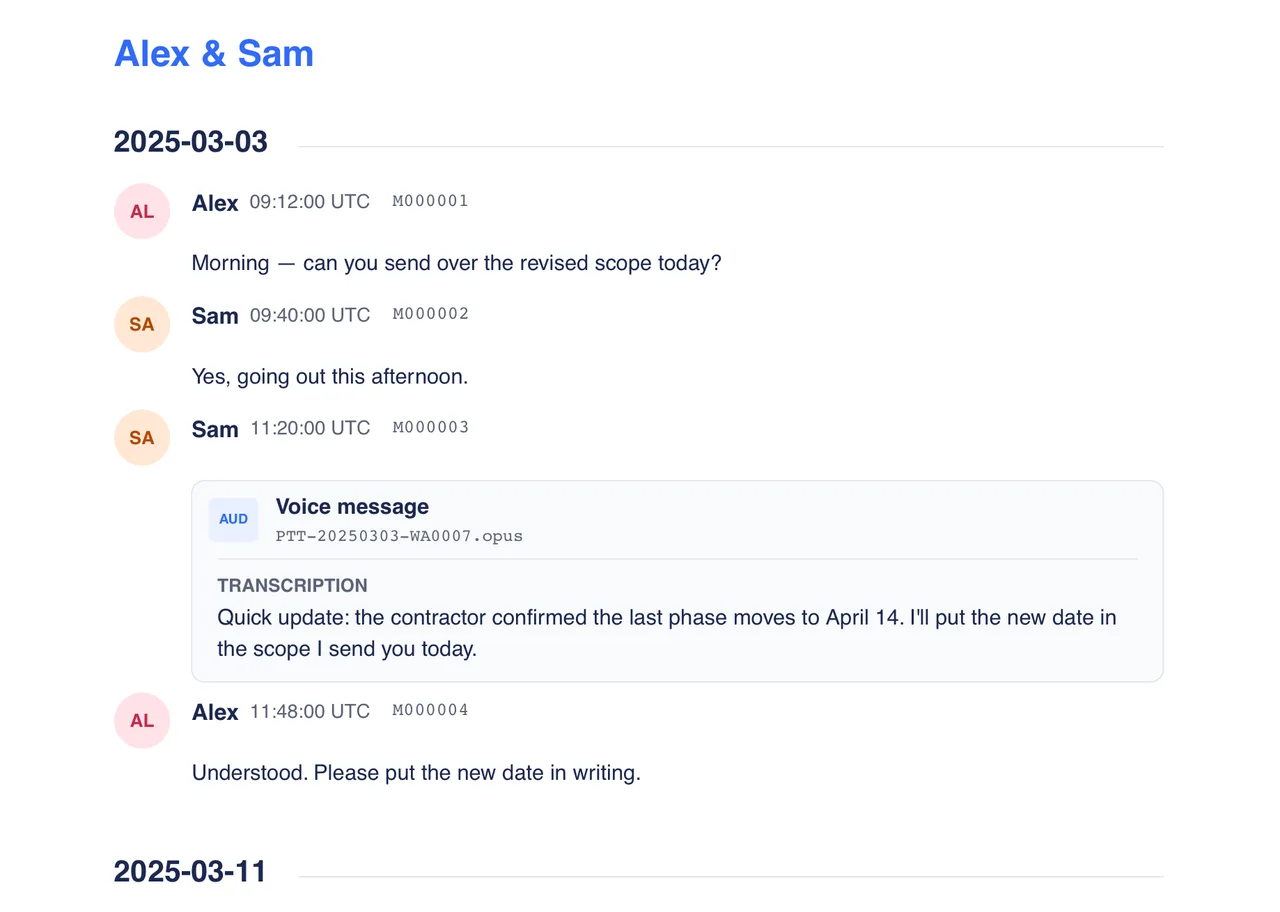
Important decisions rarely live in tidy documents. They are scattered across WhatsApp messages, voice messages, dates, and side comments.

Promises scattered across messages

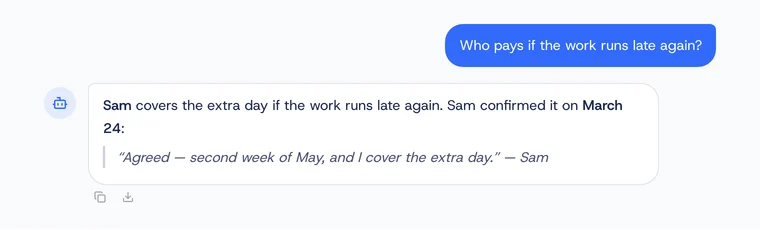
Find what was agreed without rereading thousands of lines or guessing which day it happened.

Voice messages nobody wants to replay

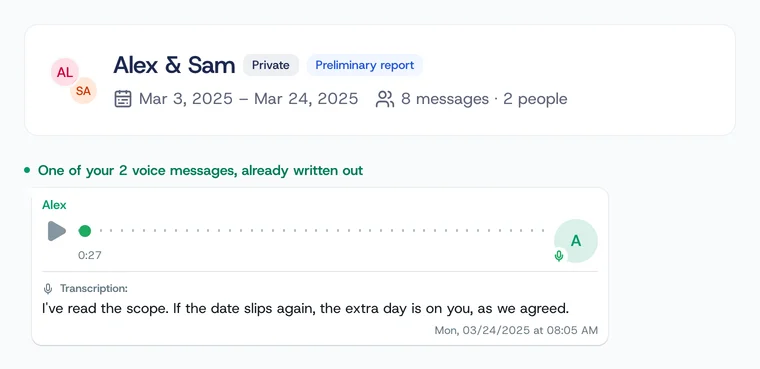
Turn key audio messages into searchable text that sits inside the same timeline as the chat.

A timeline you can actually use

See payments, deadlines, responsibilities, and disputed claims in chronological order.

Free sample

See what was found before you unlock

The free sample reads up to 500 messages and 5 minutes of audio, and shows what it found there. An unlock gives the whole conversation, the complete transcription, more chat use, and one document.

Conversation preview

Marcus & You

Structured recap
Analyzed on Jan 18, 2025 · 14:32127 messages4 min audio

What the free sample found

Main themes

  • Product roadmap and launch
  • Payment flow
  • Resources for the app

What was found

  • 127 messages
  • 4 minutes of voice messages
  • Commitments and deadlines identified
Unlock this conversation’s details
See decisions, deadlines, transcripts, the full timeline, and choose a document.

From conversation to record in 3 steps

The process stays small. The report does the heavy lifting.

1

Attach your WhatsApp chat

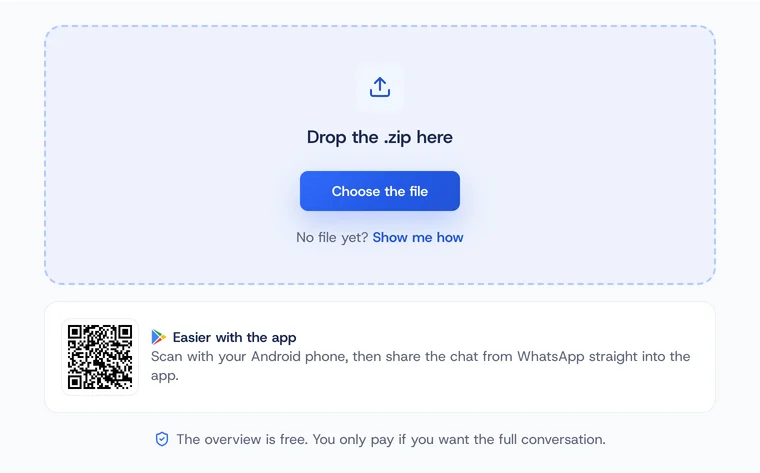
Use the standard WhatsApp export (.zip). No live connection or account access required.

2

Review what will be analyzed

See the date range, message count, included voice messages, and price before anything runs.

3

See a clear summary of the conversation

See themes, decisions mentioned, next steps, and transcribed voice messages in an organized view. Then ask questions to understand more.

Use cases

Start where the record matters most

ThreadRecap can summarize many chats, but it is strongest when a conversation needs to become a clear record.

Primary use caseWhatsApp Dispute Summary

Organize contested agreements, payment terms, scope changes, responsibilities, and key claims for review with the source messages.

  • Payment terms denied or contested
  • Scope changes or deadline disputes
  • Verbal agreements that need a record
  • Voice messages that contain key promises
Explore evidence reports

WhatsApp Voice to Text

Every voice message in the export written out, in order, beside the messages around it. OPUS, OGG, M4A and MP3.

"No more replaying 3-minute voice messages to find one detail."

WhatsApp Meeting Notes

You had a chat, not a meeting — still need minutes. Get attendees, agenda, decisions, actions. Export to Notion or ask AI follow-up questions.

"Turned a messy group chat into proper meeting minutes in seconds."

ThreadRecap for Project Managers

Turn project chat threads into structured minutes: decisions, blockers, action items with owners and deadlines. Send tasks to Trello or Google Calendar.

"Every standup recap done in 30 seconds instead of 10 minutes."

WhatsApp Chat Summarizer

Turn long WhatsApp chats into a 60-second brief: decisions, dates, owners, next steps. Ask follow-up questions with AI or export results to Notion and Trello.

"Finally stopped losing track of what we agreed on."

WhatsApp Chat Report

Generate professional reports from WhatsApp conversations. Chronological timelines, key decisions, and voice message transcriptions — formatted for legal, HR, or business use.

"Turned 6 months of messages into a 4-page report my lawyer could actually use."

See all use cases

Voice messages

Voice messages, transcribed inline

WhatsApp voice messages can be transcribed and shown beside the chat context to make review easier.

Voices below are AI-generated samples for demonstration. Real WhatsApp voice messages keep the original recording.

PTT-20250118-WA0023.opus

0:000:00

Transcription:

Hey, real quick about the meeting yesterday — I think we should go with the second option for the homepage. Yeah, the second one.

PTT-20250118-WA0024.opus

0:000:00

Transcription:

Oh, and can you send me the Figma link? I wanna show it to Sarah before our call tomorrow at three.
PTT-20250118-WA0025.opus

0:000:00

Transcription:

Ah, and the budget — it's approved! So we can move forward with the contractor this week, no problem.

Audio is only sent for transcription when you request it.

Privacy & trust

Private by design, clear about what is stored

Important conversations are sensitive. ThreadRecap keeps processing narrow and explains what happens to each type of data.

Browser-side extraction

Your WhatsApp .zip is unpacked in your browser before the analysis flow continues.

Photos and video files are not uploaded

Photos and video files are not uploaded; if you include a video, the browser may extract and send only its audio track.

Voice messages are optional

When an analysis includes voice messages, the necessary audio is sent for transcription.

Storage is limited to product use

Chat text is encrypted. Audio is stored privately and available only from your account.

No ad or training use

Your conversations are not used for advertising or to train public models.

Delete anytime

You can remove chats, reports, and account data from your dashboard.

Questions? Answered.

Yes. Your chat files are unzipped and parsed locally in your browser. Photos and videos never leave your device. Only the text and audio you opt in to transcribe are sent to our secure servers (encrypted in transit). Your chat is stored on our servers so your analysis stays accessible. You keep full control: delete your chat and any analysis anytime from your dashboard. Never used for ads or training, never shared with third parties. If you select a video, your browser extracts and sends only its audio track for transcription; the video and its visual content stay on your device.

No. Photos and videos stay on your device — the files are never uploaded. We do recognize where they appear in the conversation, so your record shows that a photo or video was sent at that point. Only chat text is sent, plus audio when you opt in to transcription. If you select a video, your browser extracts and sends only its audio track for transcription; the video and its visual content stay on your device.

Open WhatsApp, open the chat, open its menu (the chat name on an iPhone, the three dots then More on Android), and choose Export Chat. Pick "Include Media" if you want the voice messages transcribed. WhatsApp then asks where to put the file: Save to Files on an iPhone, Save as file on a Samsung, Google Drive on any other Android. That last step is not optional on Android, because the file is not stored on the phone until you choose.

We support OPUS, OGG, M4A, and MP3 when they appear in your export. Audio is processed through OpenAI's audio transcription API and merged into your conversation timeline.

Yes. You can select which participants to include in the reading, and the free sample shows what was found. The unlock is charged once for the conversation, based on its size and voice messages — with no group multiplier.

The interface is available in 6 languages. Analysis results follow the language of the conversation, and you can translate audio transcripts to English.

Transcription quality varies with recording quality, accent, background noise, and overlapping voices. Read the transcript against the original recording before quoting it.

Audio files and transcripts can be saved with your analysis so you can replay voice messages and revisit the conversation without uploading it again. You can delete the saved audio and transcripts while keeping the analysis, or delete the entire analysis, at any time.

What you are committing to

A free sample before you pay

Your first conversation gets a free sample of up to 500 messages and 5 minutes of audio, so you see the quality before you buy.

One payment, no subscription

You pay once for the conversation you unlock. There is no subscription and nothing renews.

If we cannot deliver, your money comes back

If a conversation or a document you paid for cannot be delivered, the full amount returns to your ThreadRecap balance, ready to spend right away, and the card charge stays on your statement. Ask us if you want it back on your card instead.

  • Paying customers in 27 countries
  • Interface in 6 languages
  • Running since January 2026

Turn the conversationinto a record.

Upload your WhatsApp chat to read, download, share, and check a clear summary alongside the chat messages.

Analyze your chat

Read the free sample first. Unlock the full conversation only if it is useful.